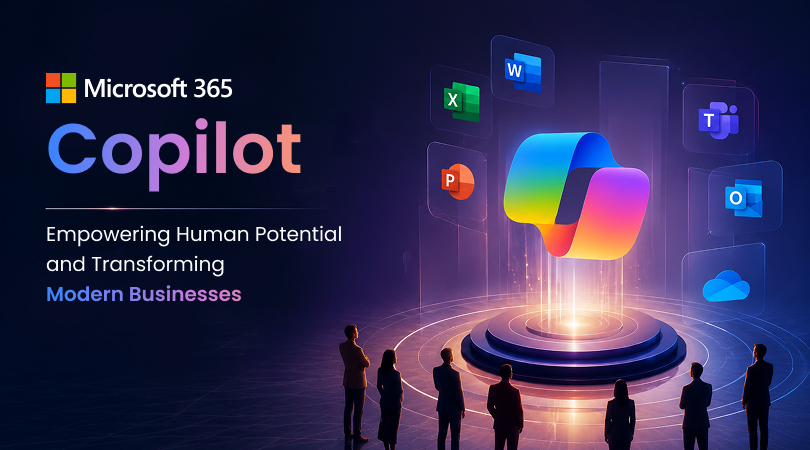
It’s in Microsoft 365 Copilot, where it steps in. It provides smart assistance to team as soon as they start utilising each of the Microsoft tools. Copilot boosts efficiency, innovation, and job satisfaction by automating repetitive tasks, giving team more time for creativity, strategy, collaboration, and decision-making. By leveraging the power of AI, Copilot isn’t merely a tool to employ; it’s a means for individuals to tap into and capitalise on their potential even more effectively in today’s business landscape.
What is Microsoft 365 Copilot?
Microsoft 365 Copilot is an AI-powered assistant seamlessly integrated with Microsoft solutions, such as Word, Excel, PowerPoint, Outlook, Teams, and other productivity tools. Communicate and work with others through email by writing, summarising, analysing, presenting, managing and collaborating with them.
That means, Copilot isn’t intended to replace any human work but to enhance, simplify and coordinate employees’ work. Copilot can create content for you, for example, summaries in Outlook from lengthy email threads, document ideas in Word, PowerPoint presentation ideas, analysis of business data in Excel, and even meeting summaries/ action items in Teams.
As businesses consider adopting Copilot, they’ll need to take into account licensing terms, such as Microsoft Copilot licensing costs in India, and other choices like Microsoft Copilot Pro. This is because the best choice for a plan will differ based on the needs of the business, the size of their staff and how much productivity they would expect to see if it were implemented.
Benefits of Microsoft 365 Copilot in Modern Businesses
In any kind of business, speed, accuracy, and teamwork can be important factors. Microsoft 365 Copilot helps employees manage daily tasks, save time, and complete tasks in a smarter way. With the help of these businesses, you can easily improve overall productivity and efficiency.
Improves Productivity
Microsoft 365 Copilot help employees to complete their daily routine tasks faster. Drafting emails, preparing any kind of reports, summarising meetings and creating documents can take lots of time. Copilots reduce these efforts, through which employees can focus on more valuable work.
Saves Time on Repetitive Tasks
As you know, some of the business tasks are repetitive, such as writing similar emails, formatting documents, preparing meeting notes, or searching for information. When they plan to buy Copilot, then they can automate or simplify these kinds of tasks, through which employees can use their time effectively.
Enhances Business Communication
For any kind of business, clear communication is one of the most important factors. With the help of Copilot, you can summarise long conversations and make messages in a clear and structured way. It will reduce confusion and improve coordination between the teams.
Supports Better Meetings
Meetings often generate important discussions, decisions, and action items. Copilot in Teams meetings can help summarise key points, highlight key decisions, and identify follow-up tasks. This keeps employees aligned, whether they missed the meeting or simply need a quick recap.
Improves Decision-Making
Businesses are dependent on the data, but data is useful only when people understand it properly. Copilot helps you to analyse information, identify patterns, and present insights in a simple way. With this, you can easily take faster and more informed business decisions.
Helps Create Better Documents and Presentations
Copilots assist you in drafting reports, proposals, blogs, presentations and business plans. This gives a strong starting point to all the users; they can review, edit and improve according to their goals. This will help the team stay connected and more productive.
Strengthens Collaboration
Sometimes businesses work on different departments, locations and time zones. Through Copilot, you can summarise shared information, organize tasks, and improve communication across Microsoft 365 apps. This keeps teams better connected and more productive.
Empowering Human Potential, Not Replacing It
The main purpose of Microsoft 365 Copilot is to augment human capabilities, rather than to replace them. It provides a break from repetitive work for employees, allows workers to be creative, critical thinkers, make decisions and solve problems.
- Copilot assists rather than replaces people.
Microsoft 365 Copilot is expected to be a valuable tool in the Microsoft 365 suite, but it’s not designed to replace human workers. It can assist with speed, structure, organisation, but not judgment, creativity, accountability, etc., end-of-the-day decision-making power in the hands of humans. - Humans Remain in Control
The output will be reviewed and approved by employees, and Copilot will suggest content, summarise the data and then draft responses. While AI can be helpful, it is essential to have a human look over it as it may miss out on the contextual, tonal, factual or business sensitivity. - Encourages Creative Thinking
Often, employees have to perform the same monotonous and repetitive tasks for a considerable amount of time, leaving little room for creativity and innovation. Copilot decreases this routine workload, allowing people to concentrate on creative thinking, problem-solving, and creating better business strategies. - Teaches Attitude for Success at Work
There is a possibility of some employees not feeling confident about writing formal emails, making reports, and analysing data. Copilot provides them with a helpful starting point. This will help build their confidence and allow them to do a better job in their job.
The Future of Work with Copilot.
The future of work does NOT mean that machines will take the place of people. The real promise of the future is for people to use intelligent tools to work better, faster and smarter. Microsoft 365 Copilot is one of the most promising examples of this upcoming reality, where AI is embedded within the workflows of business.
In the future, AI assistants will be increasingly used by employees to handle information, summarise meetings, create texts and help in making decisions. But businesses need to make use of Copilot responsibly. Even though it’s a trendy market, it doesn’t necessarily mean that it’s a good idea to use Copilot. To mitigate risks, companies need to start by understanding their needs, offering a comprehensive training program for staff, creating policies about the use of AI, prioritising data protection, and having AI-generated outputs checked by a human.
There are some options available, like Microsoft 365 Copilot, and companies can evaluate the licensing costs of Microsoft Copilot for India and determine whether it will have a positive impact on their employees and organisation. Yet, in the future, businesses will succeed who can balance the efficiency of AI with human intelligence, creativity and leadership.
Conclusion
Microsoft 365 Copilot is a major step towards a smarter and more human-centric workplace. It helps the employees create better content, analyse information, improve communication, reduce repetitive tasks, and save time. In the business sphere, it not only makes individuals more productive it also provides them with the opportunity to concentrate on what matters.
It would be a wrong idea to replace human talent with Copilot. It is its connection to increase human potential that makes it most powerful. It equips employees with quality tools to think well, work creatively, work cooperatively and lead confidently. When used correctly, Microsoft 365 Copilot has the potential to optimise workflows, drive innovation and future-proof businesses.